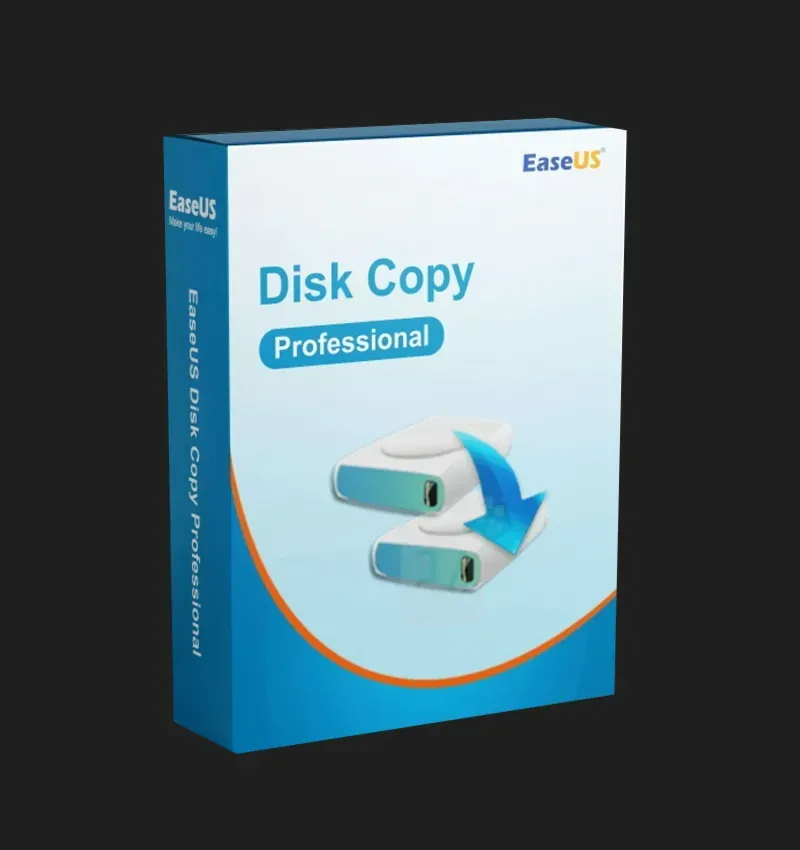
EaseUS Disk Copy Pro 1 Device Lifetime License

License Details

  • License Type: Lifetime (Perpetual — use forever)
  • Number of Devices: 1 Windows PC
  • Delivery Method: Digital — Activation Key delivered after purchase
  • Activation: Online activation via the EaseUS Disk Copy application
  • Language: Multilanguage
  • Version: EaseUS Disk Copy Pro (Latest Version)
  • Updates: Free lifetime updates included
  • Technical Support: Priority support included for life

$29.99

Description

Product Overview

EaseUS Disk Copy Pro is a professional-grade disk cloning and copying software that gives you complete control over your hard drive, SSD, and partition management — all with a single one-time lifetime purchase. Trusted by millions of users worldwide, EaseUS Disk Copy Pro is the fastest, safest, and most reliable way to clone your entire hard drive, migrate your operating system to a new SSD, upgrade your storage, create sector-by-sector disk backups, and transfer all your data without reinstalling Windows or losing a single file. Buy once and use forever on your Windows device — no subscriptions, no renewals, no additional fees.

Whether you are upgrading from an old HDD to a lightning-fast SSD, replacing a failing hard drive before it dies completely, creating an exact backup of your system disk, or deploying identical system configurations across multiple machines, EaseUS Disk Copy Pro delivers fast, accurate, and completely reliable results every single time — with an intuitive interface that makes complex disk operations simple for everyone.


What Is EaseUS Disk Copy Pro?

EaseUS Disk Copy Pro is the premium disk cloning and imaging solution developed by EaseUS Software — a globally trusted data management company with over 18 years of experience in storage, recovery, and backup solutions. Unlike standard file copy tools, EaseUS Disk Copy Pro works at the sector level — creating an exact, bit-for-bit copy of your entire drive including the operating system, installed applications, personal files, settings, and boot records. The result is a perfect clone that works exactly like the original drive — bootable, complete, and immediately ready to use.

This makes EaseUS Disk Copy Pro the ideal tool for anyone who wants to upgrade their storage, protect their data, or migrate to new hardware without the time-consuming process of reinstalling Windows, reconfiguring applications, and restoring files from scratch.


Key Features

Full Disk Clone Create a complete, exact clone of your entire hard drive — including Windows, all installed applications, personal files, settings, and the boot sector — onto another drive of equal or larger size. The cloned drive is immediately bootable and works exactly like the original, with zero reinstallation required. Perfect for upgrading to a larger HDD or replacing a failing drive.

HDD to SSD Migration — Upgrade Without Reinstalling Windows The most popular use of EaseUS Disk Copy Pro is migrating from a traditional hard disk drive (HDD) to a solid-state drive (SSD) for dramatically faster performance. Clone your entire Windows system and all your data from your old HDD directly to your new SSD in minutes — keeping every application, setting, file, and preference exactly as it was. Boot from your new SSD and experience the speed upgrade instantly, with nothing to reinstall or reconfigure.

Partition Clone Clone individual partitions rather than entire disks. Copy a specific partition — including the system partition, data partition, or recovery partition — to another drive or a different location on the same drive. Ideal for creating backups of specific data partitions or reorganizing your storage layout without affecting other partitions.

Sector-by-Sector Clone For maximum accuracy and completeness, EaseUS Disk Copy Pro offers a sector-by-sector clone mode that copies every single sector of a drive — including empty sectors — creating a 100% identical copy of the source drive. This mode is particularly useful for recovering data from failing drives and for forensic or compliance purposes where an exact bit-for-bit copy is required.

System Disk Migration Migrate your complete Windows operating system, including all installed programs and personal data, from your current system disk to a new drive — without reinstalling Windows or any applications. The new drive boots directly into your familiar Windows environment, saving hours of setup time and eliminating the risk of losing software licenses, configurations, and files.

Clone to Smaller SSD EaseUS Disk Copy Pro intelligently handles cloning to a smaller destination drive — as long as the actual used data fits within the target drive’s capacity. This is particularly useful when upgrading from a large HDD with significant free space to a smaller but faster SSD, allowing you to take advantage of SSD performance without being forced to buy a larger and more expensive drive.

Resize Partitions During Cloning When cloning to a drive of a different size, EaseUS Disk Copy Pro automatically adjusts partition sizes to fit the destination drive optimally. You can also manually resize and rearrange partitions during the cloning process — giving you full control over how your storage is organized on the new drive without any additional partitioning tools.

Create Disk Image Create a compressed image file of your entire disk or individual partition and save it to an external drive, network location, or cloud storage. Disk images capture the exact state of your system at a specific point in time — creating a complete, restorable snapshot that you can return to whenever needed. Perfect for system backup before major updates, software installations, or hardware changes.

Restore from Disk Image Restore a previously created disk image back to a drive at any time. If your system becomes corrupted, infected, or fails after a major change, simply restore from your saved image and have your entire system back exactly as it was — in minutes rather than hours.

Bootable Media Creator Create a bootable WinPE emergency disk on a USB drive or CD so you can perform disk cloning and copying operations even when Windows cannot start. Boot from the emergency disk and clone or recover your system drive without needing a functioning Windows installation — a critical feature for disaster recovery scenarios.

Clone Failing Hard Drives When a hard drive starts showing signs of failure — clicking sounds, bad sectors, slow performance, or frequent errors — time is critical. EaseUS Disk Copy Pro’s sector-by-sector clone mode can copy data from a failing or damaged drive to a healthy replacement drive before the original drive dies completely, potentially saving irreplaceable data that would otherwise be permanently lost.

Support for All Drive Types EaseUS Disk Copy Pro supports all modern drive types and interfaces — ensuring compatibility with virtually any storage configuration:

  • Traditional HDDs (SATA, IDE)
  • Solid State Drives (SSD)
  • NVMe M.2 SSDs
  • USB external drives
  • Thunderbolt drives
  • Hardware RAID arrays
  • GPT and MBR partition styles

MBR and GPT Disk Support EaseUS Disk Copy Pro fully supports both MBR (Master Boot Record) and GPT (GUID Partition Table) disk formats — including cloning between different partition styles. Clone from MBR to GPT or GPT to MBR as needed, with full compatibility for both Legacy BIOS and UEFI boot systems — ensuring your cloned drive boots correctly on any modern Windows PC.

4K Alignment for SSDs When cloning to an SSD, EaseUS Disk Copy Pro automatically applies 4K sector alignment to the destination drive. Proper 4K alignment is essential for optimal SSD performance and longevity — ensuring your new SSD operates at maximum speed and efficiency from the very first boot.

WinPE Bootable Environment The included bootable WinPE environment allows you to perform cloning, imaging, and restoration operations completely outside of Windows — directly from a USB drive. This is especially valuable when cloning the system drive itself, as Windows cannot clone the drive it is currently running from. The WinPE environment solves this limitation and allows full system disk cloning without restrictions.

Simple Three-Step Operation Despite its powerful capabilities, EaseUS Disk Copy Pro is designed to be straightforward and easy to use for everyone — technical and non-technical users alike. The entire cloning process is completed in just three simple steps: select source, select destination, and start clone. The software handles all the technical complexity automatically.


Common Use Cases

EaseUS Disk Copy Pro is the perfect solution for a wide range of disk management scenarios:

  • Upgrading from HDD to SSD — Migrate Windows and all data to a new SSD without reinstalling
  • Replacing a failing hard drive — Clone dying drive to new drive before data is lost
  • Expanding storage — Move everything to a larger drive with more capacity
  • Creating system backups — Save exact disk images for disaster recovery
  • Deploying identical systems — Clone one configured PC to multiple machines
  • Moving to a new PC — Transfer entire system setup to new hardware
  • Protecting against data loss — Create bootable clones as live backups
  • Recovering from system failure — Restore from disk image after crash or corruption
  • Cloning to smaller SSD — Migrate large HDD to compact but faster SSD
  • Emergency disk recovery — Clone failing drive before complete failure

System Requirements

  • Operating System: Windows 11 / Windows 10 / Windows 8.1 / Windows 8 / Windows 7 (32-bit and 64-bit)
  • RAM: Minimum 1 GB (2 GB recommended)
  • Hard Disk Space: Minimum 100 MB for installation
  • Processor: 1.0 GHz or faster
  • Interface: USB port for bootable media creation
  • Internet Connection: Required for activation only
  • Supported File Systems: FAT12, FAT16, FAT32, exFAT, NTFS, EXT2, EXT3, EXT4

Customer Reviews

0 reviews
0
0
0
0
0

There are no reviews yet.

Be the first to review “EaseUS Disk Copy Pro 1 Device Lifetime License”

Your email address will not be published. Required fields are marked *