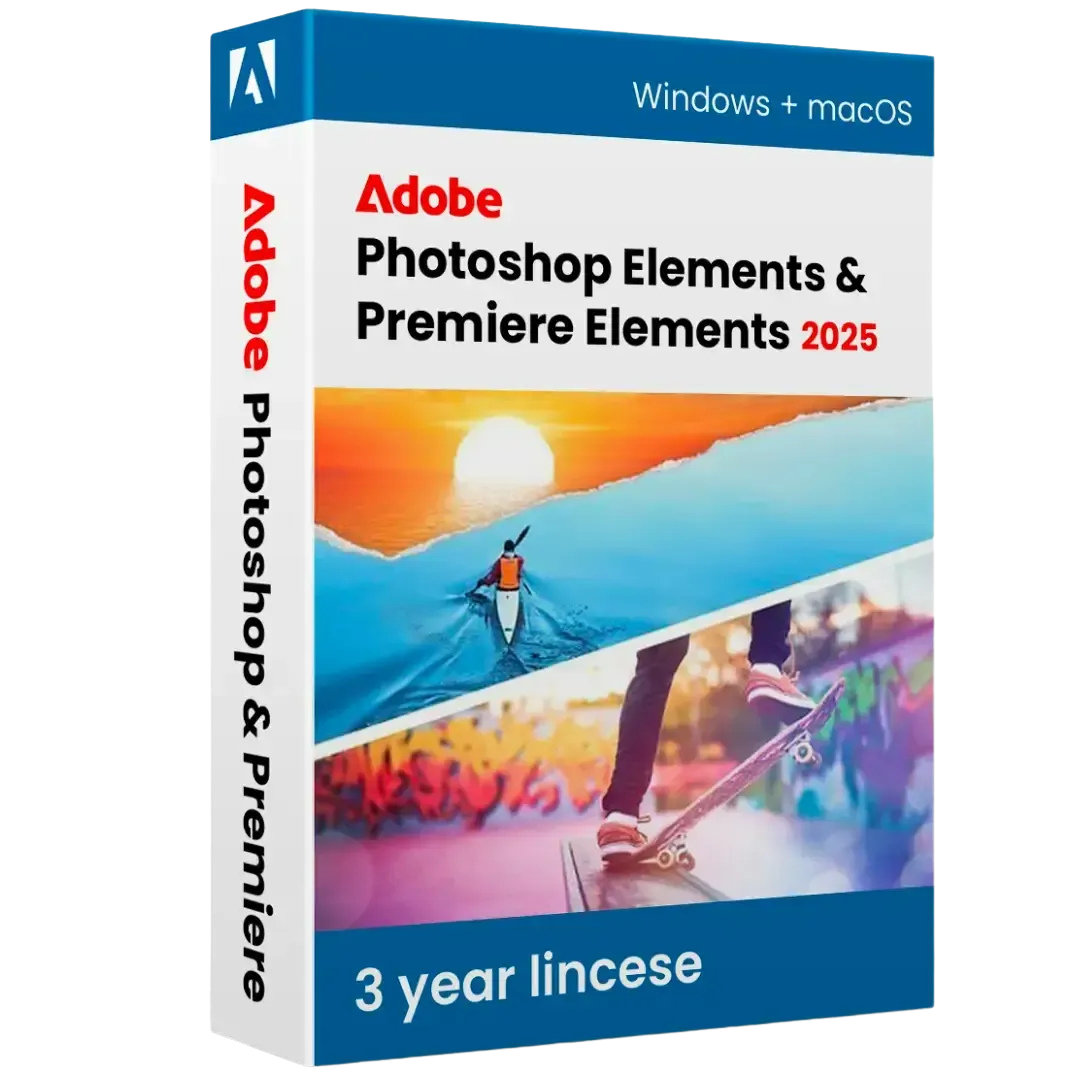
Adobe Photoshop Elements & Premiere Elements 2025 Mac & Windows

License Details

  • License Type: 3 Years (36 Months) Digital License
  • Number of Devices: 1 PC or Mac
  • Delivery Method: Digital — Activation Key delivered after purchase
  • Activation: Official Adobe website — redeem.adobe.com
  • Regional Binding: Europe and US Adobe Accounts Only
  • Operating System: Windows and macOS (both covered by one license)
  • Language: Multilanguage
  • Version: Adobe Photoshop Elements 2025 & Premiere Elements 2025
  • Key Type: 100% Official and Genuine Adobe Activation Key

$138.99

Description

Product Overview

Adobe Photoshop Elements 2025 & Premiere Elements 2025 is the ultimate all-in-one creative bundle for photo and video editing — designed specifically for home users, hobbyists, families, and creative enthusiasts who want professional-quality results without the complexity of professional software. With a 3-year digital license for 1 PC or Mac, you get full access to both applications for three complete years — activated officially and directly on Adobe’s website at redeem.adobe.com. This is a 100% official, genuine activation key that works on both Windows and macOS, available exclusively for Europe and US Adobe accounts.

Whether you want to transform your everyday photos into stunning memories, create beautiful slideshows, edit home videos, or produce polished movies to share with family and friends — this bundle gives you everything you need in two perfectly complementary applications, backed by Adobe’s trusted name and quality.


What Is Included in This Bundle?

This bundle includes two complete Adobe applications:

Adobe Photoshop Elements 2025 — The world’s most popular consumer photo editing software, making it easy to organize, edit, create, and share your photos with guided and automated tools powered by Adobe Sensei AI.

Adobe Premiere Elements 2025 — Adobe’s leading consumer video editing software, giving you everything you need to edit, enhance, and share your home videos and movies with guided workflows and powerful automated features.

Together, these two applications form the most complete photo and video creative suite available for home users — at a fraction of the cost of professional Creative Cloud subscriptions.


Adobe Photoshop Elements 2025 — Key Features

Automated Editing with Adobe Sensei AI Photoshop Elements 2025 is powered by Adobe Sensei artificial intelligence that automates complex editing tasks so you can achieve stunning results with minimal effort. The AI works intelligently behind the scenes — detecting faces, recognizing scenes, selecting subjects, and suggesting enhancements — so you spend more time enjoying your photos and less time editing them.

Three Editing Modes for Every Skill Level Photoshop Elements 2025 offers three distinct editing modes that cater to users of every experience level:

Quick Mode — Simple, fast adjustments for brightness, contrast, color, and sharpness. Perfect for quick fixes and everyday edits that take just seconds to apply.

Guided Mode — Step-by-step guided edits that walk you through professional techniques including double exposures, painterly effects, partial color effects, and much more. Perfect for learning new skills and achieving creative results without prior knowledge.

Expert Mode — Full access to all professional editing tools including layers, masks, blending modes, filters, and advanced adjustments. For users who want complete creative control over every aspect of their images.

Subject Selection and Object Removal Photoshop Elements 2025 uses AI to automatically select the main subject of any photo with a single click. Remove unwanted people, objects, and distractions from your photos using smart content-aware removal tools that fill the removed area with perfectly matching background content.

Colorize Black and White Photos Bring old black and white family photos back to life with the AI-powered colorization tool. Photoshop Elements 2025 intelligently analyzes the image and applies realistic, natural-looking colors automatically — transforming treasured memories into vibrant, colorful images.

Photo Collage and Artwork Creation Create beautiful photo collages, greeting cards, photo books, calendars, and social media graphics using dozens of professionally designed templates. Customize layouts, add text, apply effects, and produce stunning printed and digital creations for any occasion.

Skin Tone Smoothing and Portrait Enhancement Enhance portrait photos with intelligent skin smoothing, blemish removal, teeth whitening, eye brightening, and facial feature adjustments. Achieve natural-looking portrait enhancements without the complexity of professional retouching tools.

Automatic Photo Organization Photoshop Elements 2025 automatically organizes your entire photo library using AI that recognizes faces, places, events, and subjects. Find any photo instantly using smart tags, face recognition, and automatic album creation — keeping your memories perfectly organized without any manual effort.

Smart Photo Fix Apply one-click automatic fixes that intelligently analyze and correct exposure, color balance, contrast, and sharpness simultaneously — delivering a perfectly balanced photo in a single click without any manual adjustment.

Creative Filters and Artistic Effects Apply dozens of artistic filters, creative effects, and fun photo overlays to transform your photos into unique creative works. Add textures, frames, light leaks, seasonal overlays, and artistic styles with just a few clicks.

Animated GIF and Social Media Creation Create animated GIFs and social media-ready graphics directly within Photoshop Elements 2025. Resize photos for any social platform automatically and export optimized images for Instagram, Facebook, Twitter, and more.


Adobe Premiere Elements 2025 — Key Features

Automated Video Editing with AI Premiere Elements 2025 uses Adobe Sensei AI to automate complex video editing tasks — detecting the best moments in your footage, removing camera shake, color correcting clips, and suggesting enhancements — so you can create polished videos without any technical editing knowledge.

Three Editing Modes for Every Experience Level Like Photoshop Elements, Premiere Elements 2025 offers three editing modes:

Quick Mode — Assemble clips, add music, apply themes, and create a complete movie in minutes. Perfect for fast, simple video projects.

Guided Mode — Step-by-step guided video edits that teach you professional techniques including speed effects, freeze frames, animated titles, moving overlays, and more — with clear instructions at every step.

Expert Mode — Full timeline-based video editing with complete control over every clip, transition, audio track, effect, and title — for users who want professional results with maximum flexibility.

Auto Creations — Movies Made Automatically Premiere Elements 2025 can automatically create highlight videos, themed movies, and video collages from your footage — complete with music, transitions, and effects — in minutes. Simply select your clips and let the AI do the rest.

Video Stabilization Fix shaky, unstable footage automatically with Premiere Elements 2025’s powerful video stabilization tool. The AI analyzes camera movement and smooths out shaking and wobbling — transforming unstable handheld footage into smooth, professional-looking video.

Smart Trim — Find the Best Moments The AI-powered Smart Trim tool automatically analyzes your video clips and identifies the best moments based on facial expressions, motion, audio levels, and scene quality — then suggests the optimal edits to create a polished, engaging video from your raw footage.

Animated Titles and Motion Graphics Add professional animated title cards, lower thirds, credits, and motion graphics to your videos using dozens of customizable templates. Adjust fonts, colors, animations, and timing to create polished title sequences that match your video’s style.

Audio Editing and Music Sync Edit audio tracks, adjust volume levels, add background music, and apply audio effects directly within Premiere Elements 2025. The Auto Music Sync feature automatically adjusts the duration of background music to perfectly match the length of your video — eliminating awkward audio cutoffs.

Color Correction and Grading Correct exposure, white balance, and color cast in your video clips using simple, intuitive controls. Apply cinematic color grades and creative color effects to give your videos a distinctive, professional look without complex color grading knowledge.

Speed Effects and Freeze Frames Create dramatic slow-motion effects, fast-motion sequences, and freeze frames with simple controls. Add speed ramps and time remapping to specific sections of your video for dynamic, cinematic results.

DVD and Blu-ray Disc Creation Create professional DVD and Blu-ray discs with custom menus directly from Premiere Elements 2025. Design disc menus using built-in templates and burn your finished movies to physical media — perfect for sharing with family members who prefer physical media.

Export to Any Platform Export your finished videos in any format required — MP4, MOV, AVI, MPEG, and more. Choose from optimized export presets for YouTube, Facebook, Instagram, Vimeo, 4K TV, and more — ensuring your videos look their best on every platform and device.

4K Video Support Import, edit, and export 4K Ultra HD video footage directly within Premiere Elements 2025. Take full advantage of the stunning resolution from modern smartphones, action cameras, and consumer video cameras — and produce 4K output for the latest televisions and displays.


What’s New in the 2025 Version

Photoshop Elements 2025 New Features:

  • Enhanced AI subject selection with improved accuracy
  • New guided edits for creative photo effects
  • Improved automatic photo organization with smarter AI tagging
  • Better colorization results with updated AI color engine
  • New artistic filters and creative overlays
  • Faster performance across all editing modes

Premiere Elements 2025 New Features:

  • Improved Auto Creations with smarter scene detection
  • Enhanced video stabilization algorithm
  • New animated titles and motion graphic templates
  • Improved Smart Trim with better moment detection
  • Better 4K video performance and export speeds
  • New guided video edits for creative techniques
  • Enhanced audio tools with improved noise reduction

Activation Instructions

Activating your Adobe Photoshop Elements & Premiere Elements 2025 bundle is simple and straightforward:

  1. Visit the official Adobe redemption page at redeem.adobe.com
  2. Sign in with your existing Adobe account or create a new one
  3. Enter your activation key exactly as provided
  4. Follow the on-screen instructions to complete activation
  5. Download and install both applications through the Adobe installer
  6. Launch either application and begin creating immediately

Important: This key is valid for Europe and US Adobe accounts only. Please ensure your Adobe account is registered to a European or US region before activating.


System Requirements — Windows

  • Operating System: Windows 10 / Windows 11 (64-bit)
  • RAM: Minimum 8 GB (16 GB recommended)
  • Hard Disk Space: 8 GB for installation (additional space required for media)
  • Processor: Intel or AMD 64-bit, 2 GHz or faster
  • Display: 1024 x 768 resolution
  • GPU: DirectX 12 compatible
  • Internet Connection: Required for activation

System Requirements — Mac

  • Operating System: macOS 12 Monterey / macOS 13 Ventura / macOS 14 Sonoma
  • Processor: Intel 64-bit or Apple Silicon (M1 / M2 / M3 / M4)
  • RAM: Minimum 8 GB (16 GB recommended)
  • Hard Disk Space: 8 GB for installation (additional space required for media)
  • Display: 1024 x 768 resolution
  • Internet Connection: Required for activation

Customer Reviews

0 reviews
0
0
0
0
0

There are no reviews yet.

Be the first to review “Adobe Photoshop Elements & Premiere Elements 2025 Mac & Windows”

Your email address will not be published. Required fields are marked *